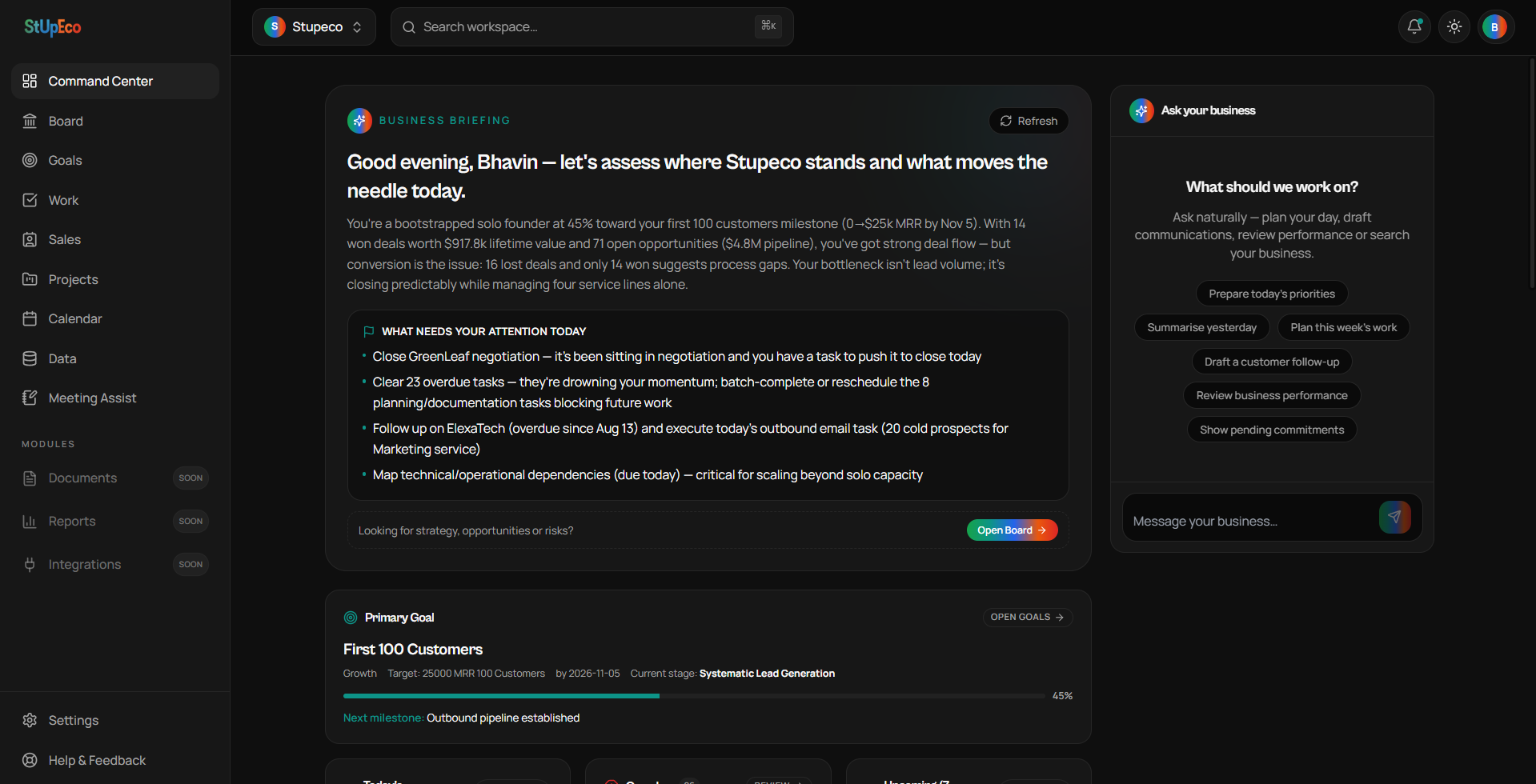
This guide walks you from account creation to a workspace that already knows enough about your business to be useful. It should take about ten to fifteen minutes.
1. Workspace setup
After you create your account you'll go through a short setup that asks about your business, what you sell, who you sell to, your stage and what your first strategic goal is. Do not rush this — this context becomes the shared memory every module uses to help you.
- Business name — the actual name you use with customers. If you're a freelancer, that's fine — use your own name.
- What you do — one line the Board can ground its perspectives in.
- Stage — pre-launch, launched, growing, etc.
- One Primary Strategic Goal — you can refine or replace this later.
2. Add real context, not placeholder data
Even a couple of real deals, a real contact and a real task will teach WorkSpace more than dozens of fake rows. The Board and Business Briefing draw on this reality.
3. Open Command Center
Command Center is your operational home. It surfaces today's priorities, overdue work, follow-ups and pipeline health. It's designed to help you act — not to make decisions.
4. Meet your Leadership Team
Open Board once your workspace has some real data. Read what the CEO, CGO, CMO, CFO, COO, CTO and CHRO have to say. If they ask for context, provide it — a Board that guesses is less useful than a Board that asks.
5. Delegate — don't just ask
Business Assistant can create tasks, contacts, companies and deals from natural language. Instead of typing forms, tell it what you want to happen.
You don't rise to the level of your ambition. You fall to the level of your systems.
Enjoying the series?
Get the next article in your inbox.
Keep reading