One system for running the business.
Every module shares the same business context, so briefings, decisions, plans and follow-through connect naturally — no more copy-pasting between disconnected tools.
Understand. Decide. Execute. Grow. Adapt.
Five connected layers — sharing one business context.
See what's really happening.
Business Briefing and Command Center bring together your priorities, pipeline, overdue work and goals — grounded in your actual business context.
- Business Briefing
- Business Memory
- Command Center
Think with a leadership team.
Ask the Board strategy, growth, marketing, finance, operations, tech or people questions. Provide context, challenge assumptions, adopt decisions.
- Board · CEO, CGO, CMO, CFO, COO, CTO, CHRO
- Chief of Staff
- Decision → Execution drafts
Turn decisions into action.
Set goals with clear milestones, plan projects, schedule tasks with dates and reminders, and keep every commitment visible on your calendar.
- Goals
- Work / Tasks
- Projects
- Calendar
- Meeting Assist
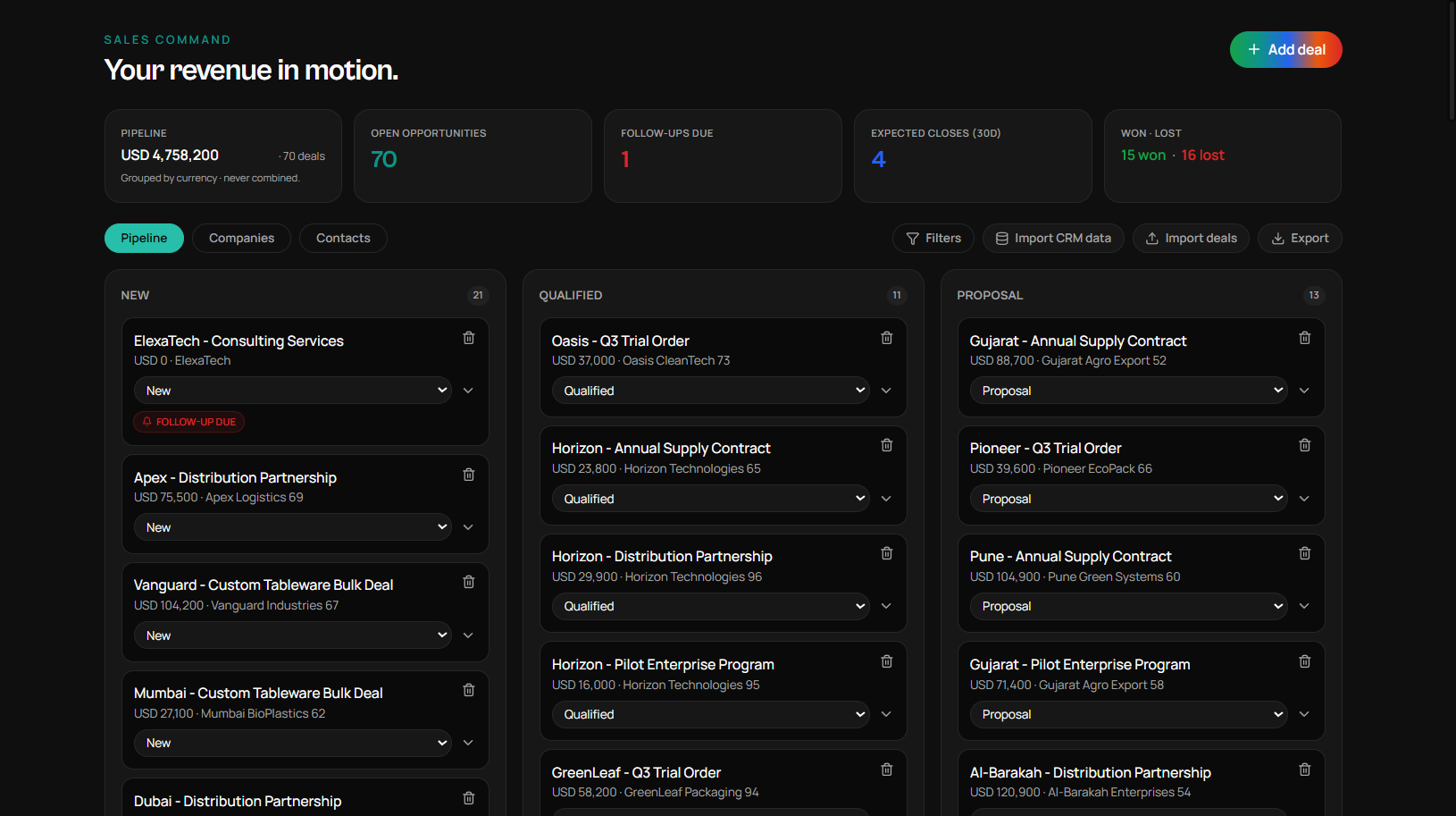
Keep revenue moving.
Companies, contacts, deals, pipeline and follow-ups all connected. Won deals draft their next-step plan automatically.
- CRM · Companies + Contacts + Deals
- Pipeline & Follow-ups
- Won → Delivery / Follow-up
Track what's unique to you.
Business Data lets you spin up trackers for records that don't fit CRM or Projects — vendors, candidates, campaigns, inventory, assets and more.
- Business Data (custom trackers)
- Business Assistant · delegate, don't just ask
- Shared business context
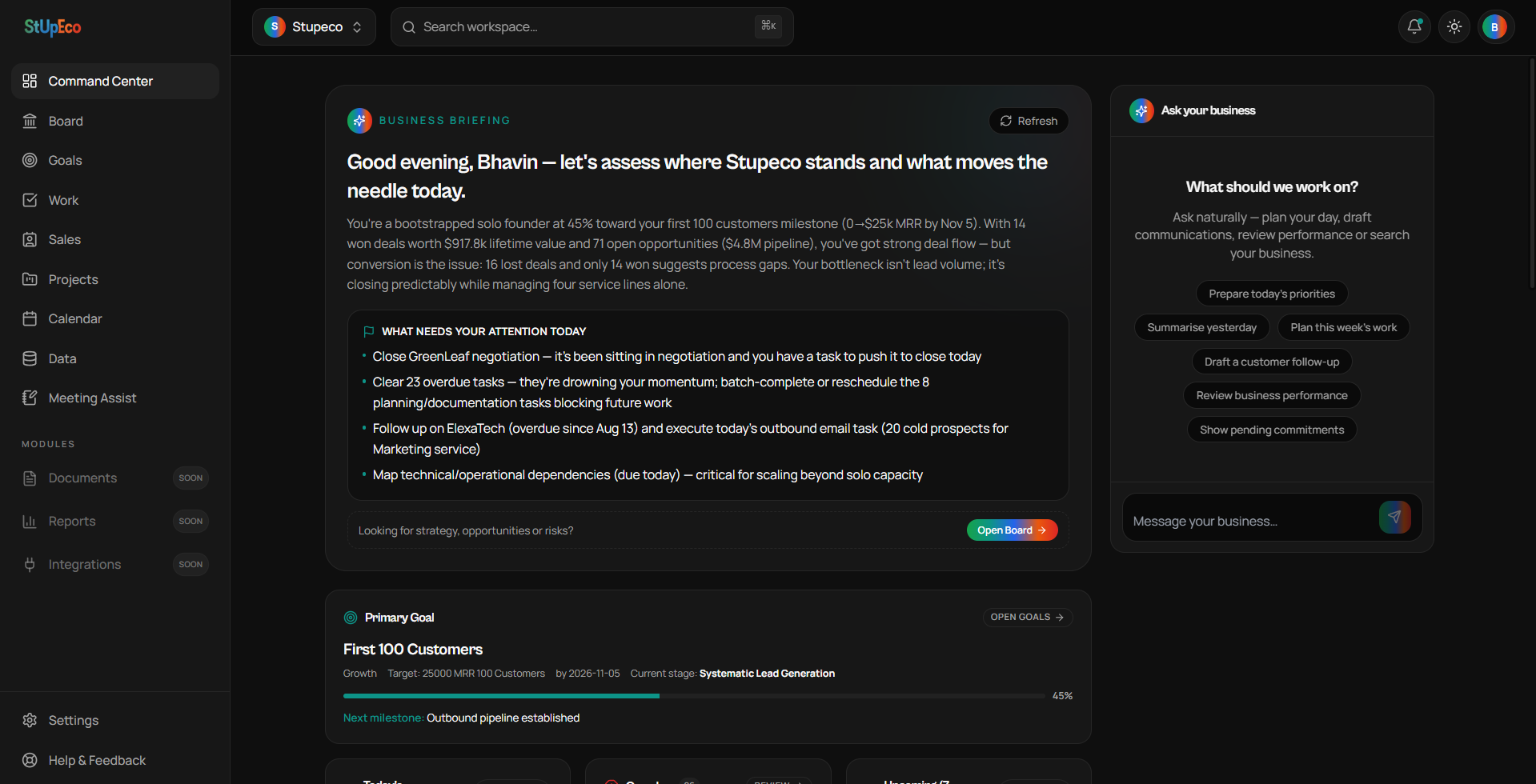
Understand · Command Center
Everything that needs your attention, in one calm view.
Business Briefing summarises the state of your business. Priorities, overdue items, upcoming commitments, deals needing follow-up and goal progress — all in one place, grounded in real data.
Decide · Board
A leadership team that already knows your business.
Ask strategy questions, challenge assumptions and adopt decisions. When information is missing the Board asks for it, and when a decision is adopted the Chief of Staff drafts the execution plan.
Your WorkSpace. Wherever you work.
Open WorkSpace in your browser, or install it for app-like access across supported desktop and mobile devices.
Lightweight
App-like access without a bulky traditional installation.
Always Current
Product updates arrive through the web — no manual downloads.
One Connected Experience
Move between browser, desktop and mobile with the same Workspace and data.
Quick Access
Launch from your desktop or mobile home screen like an app.
Less Duplication
Installed and browser experiences share the same underlying WorkSpace.
Install WorkSpace
Add it to your home screen or desktop.
- Android
Open WorkSpace in Chrome → browser menu → Install app or Add to Home screen.
- iPhone / iPad
Open WorkSpace in Safari → tap Share → choose Add to Home Screen.
- Windows / Mac
In supported browsers (Chrome, Edge, Arc) look for the Install option in the address bar or browser menu.
Run your business from one connected workspace.
Start free today and be first in line as every Workspace module goes live.